
How to add general login hints in WordPress
Every security breach comes from a small detail that no one paid attention to, so in this article I am going to show you how to add general login hints in WordPress.
From WordPress 4.5 you can login using e-mail or username. This could be a potential security issue, just because the hacker will get some important hints from default login messages.
Default WordPress login hints
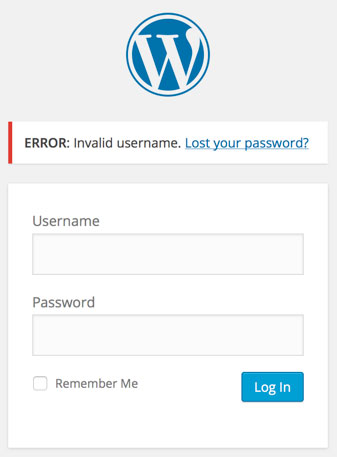
When a user enters the incorrect username, WordPress will show him this message by default:
ERROR: Invalid username. Lost your password?
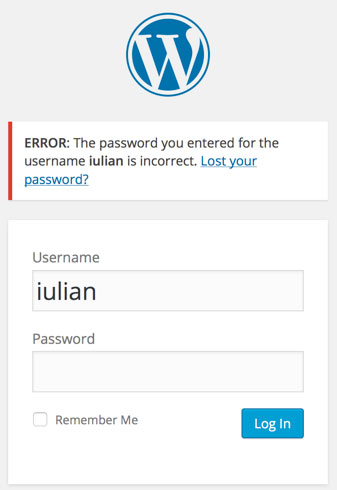
If the username is correct but the password is wrong, WordPress outputs this error message:
ERROR: The password you entered for the username iulian is incorrect. Lost your password?
How to add general WordPress login hints
In order to have general hints for errors at login in WordPress, you will just have to enter this piece of code in your functions.php file inside the theme.
[php]
function general_login_errors()
{
return ‘Error: Something went wrong!’;
}
add_filter(‘login_errors’, ‘general_login_errors’);
[/php]
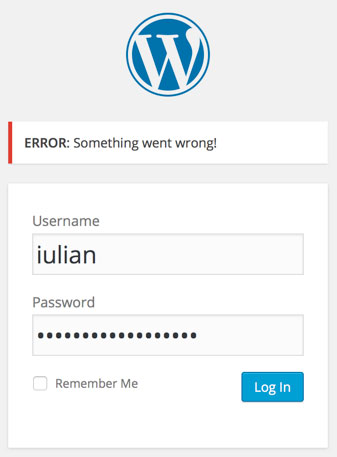
Below you will see that the result has now changed and the intruder won`t know exactly if the username or password is wrong – adding a little bit more security to your website.
We recommend using additional WordPress security plugins (most of the time this “fix” is already included) that will make your website even more secure.